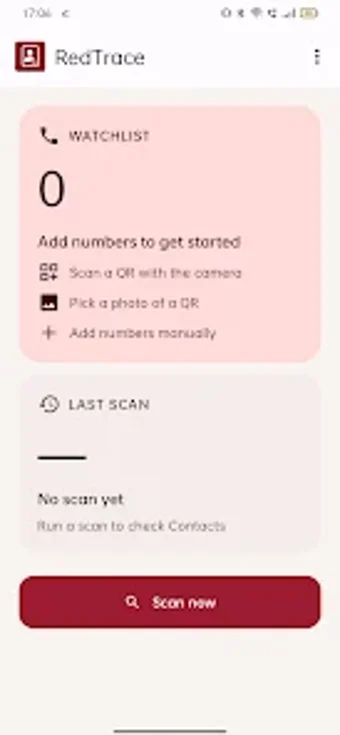
On-device number monitoring and private call screening for Android
RedTrace performs local watchlist scanning, private whitelisting, and optional call screening on an Android device, all without internet access. MANINDER SINGH GILL built this utilities-tools app to keep phonebook checks and blocked-number decisions strictly on-device. The app supports QR-based encrypted watchlist sharing, local audit logs of scans and edits, and a private notes store, making it suited to privacy-conscious users and security professionals who need offline, auditable phone-number management.
How does the app check numbers without sending data off-device?
RedTrace scans the device's contacts locally and compares entries to a user-maintained watchlist, operating with no declared internet permission. The match process runs against the phone book on the device, and the app stores watchlists and the audit trail in local storage. QR sharing uses encrypted codes to exchange lists without cloud sync, so list exchange happens via camera scans or imported images rather than network transfers.
Does the app affect system performance or require extra privileges?
The app requests Contacts permission to perform on-device scans and requires the Call Screening role only for call-rejection features. Because scanning is local, the app's operational model avoids continuous background network activity. The provided material does not quantify CPU or memory use; however, the scan workflow centers on explicit scans and daily manual entries rather than persistent, resource-heavy background indexing.
Is it safe to use on a production device and who can operate it?
The architecture prioritizes privacy by declaring no internet permission and by keeping an audit trail of scans and list changes on the device. The interface supports manual entry, QR scanning through system services, and an audit history; these choices mean a technically competent user or a privacy-minded professional can operate the app directly. Less technical users may need guidance for QR import and granting the Call Screening role.
Suitable for privacy-first users who accept manual management
The app suits people who need auditable, offline control over specific numbers and who can manage permissions and QR exchanges themselves. It keeps all processing local, so it avoids external data exposure risks. Test the scan and whitelist workflows on a spare device or a small sample of contacts before full deployment. Recommended.